
Enterprise building interior

Beacon Guard: One-Click Crisis Response

Secure. Instant. Scalable.

One press sends the right alert with location context and clear on-device confirmation. Built for large buildings where reliability matters.

Trusted in high-occupancy environments

Emergencies do not wait for complex systems.

Schools, hospitals, offices, and public venues need a response method that works under stress. Traditional solutions can be costly to install, difficult to scale, or inconsistent during critical moments.

The Beacon Guard Button

A LoRaWAN Class A wireless emergency button with an E-Ink feedback screen. Press once to trigger predefined workflows and notify the right teams—while confirming status to the person who pressed.
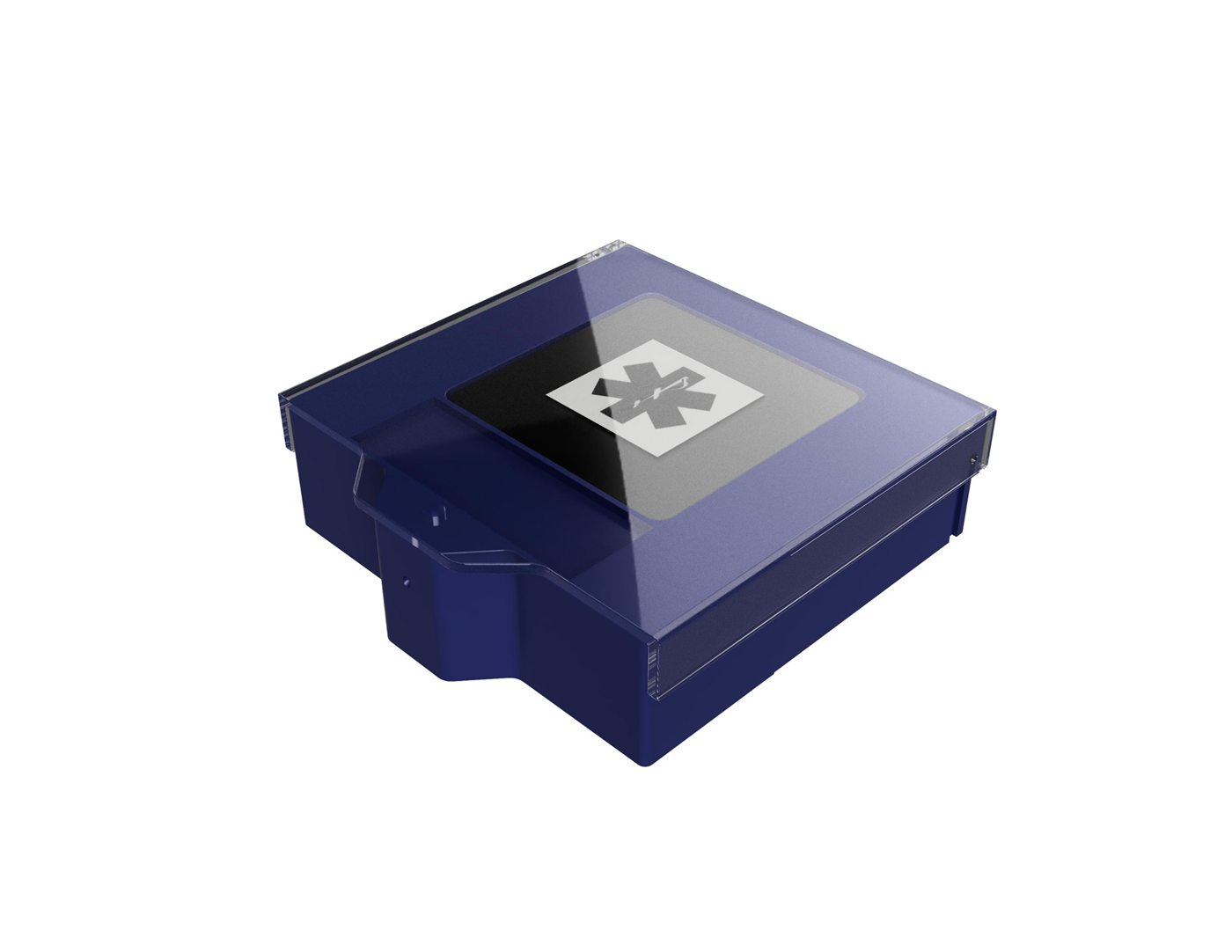
The Beacon Guard Button with E-Ink display and tamper-resistant cover

Wireless deployment at scale

LoRaWAN connectivity eliminates wiring costs. Deploy across multiple buildings with minimal infrastructure.

Clear confirmation with E-Ink

On-device feedback shows alert status and next steps. Visible in all lighting conditions.

Low operational overhead

Battery-powered with multi-year life. Remote monitoring and firmware updates reduce maintenance.

How It Works

Three simple steps from installation to crisis prevention.

Step 1

Place

Install in rooms, corridors, entrances, and high-risk zones.

Step 2

Push

Single press sends a LoRaWAN signal to your network gateway. No complex sequences. No delays. Designed for use under stress.

Step 3

Prevent

Clear routing and guidance reduce confusion and escalation. The right team responds with full situational awareness.

Use Cases

Configured workflows for different emergency scenarios.

Immediate security response with location context and clear confirmation to the person who pressed.

Workflow Steps:
  • 1Press → notify security/control room
  • 2Escalate per policy
  • 3Confirm status on-device

Fast medical response with trained staff notified first, then EMS if needed.

Workflow Steps:
  • 1Press → notify nearest trained staff
  • 2Escalate to EMS path
  • 3Confirm status on-device

Organized evacuation with zone-specific routing and clear on-device instructions.

Workflow Steps:
  • 1Press → trigger zone response
  • 2Coordinate guidance
  • 3Display instructions on-device

Built for operational reliability.

LoRaWAN Class A communications for long-range coverage
E-Ink feedback for clarity under stress
Color-coded housings for fast recognition
Tamper-resistant options to reduce misuse
Optional sensors (temperature/humidity capability)
Upgrade path: NFC validation and BLE mesh options
Durable enclosure designed for real facilities
Hardware/firmware partner: OXON AG

Signal Coverage

Understanding LoRaWAN long-range connectivity in building environments.

LoRaWAN Long-Range Coverage

Illustrative concept showing how LoRaWAN signals reach across buildings. Concentric signal arcs represent long-range wireless coverage across floors and zones.

LoRaWAN Class A

Low power, long range

Multi-floor

Penetrates building materials

Gateway-based

Centralized coverage

Plan your rollout

Estimate button volume and get placement guidance for your sites.

Include Common Areas
35
Estimated Buttons

Frequently Asked Questions

The button sends a LoRaWAN signal to your network gateway, which routes the alert to your configured workflow. The E-Ink screen displays confirmation text and icons showing the alert was sent. Your control room or designated responders receive the notification with location context.
Yes. Each site can have custom routing rules, escalation paths, and notification groups. Configure different response teams for different buildings, floors, or zones through the cloud console.
Buttons can be configured with multiple scenario types (panic, medical, evacuation) using color-coded housings. Each scenario triggers its own workflow with specific routing, escalation timing, and on-device feedback messages.
The screen displays custom text and icons confirming alert status: “Alert Sent”, “Help On Way”, or scenario-specific instructions. E-Ink provides clear visibility in all lighting conditions and consumes minimal power.
Each building requires a LoRaWAN gateway for coverage. Buttons register to the nearest gateway automatically. The cloud console provides centralized management for all sites, allowing you to configure zones, test coverage, and monitor battery status across your entire deployment.
The system supports webhook integrations for existing notification platforms, SMTP for email alerts, and API access for custom workflows. Common integrations include building management systems, access control platforms, and enterprise communication tools.
Battery-powered buttons are designed for multi-year operation. The cloud console monitors battery levels and sends alerts when replacement is needed. Firmware updates can be deployed remotely via optional BLE mesh capability. No scheduled maintenance required for normal operation.
Certification requirements depend on your deployment region and facility type. Contact us to discuss current compliance status for your specific rollout requirements. We work with facilities to meet local safety and communication standards.

Discuss your deployment.

Tell us your site count and building type. We will propose placement and rollout options.